Every plan includes all of it. Start with the essentials and switch extras on with one click whenever you’re ready — nothing to install and nothing extra to pay.
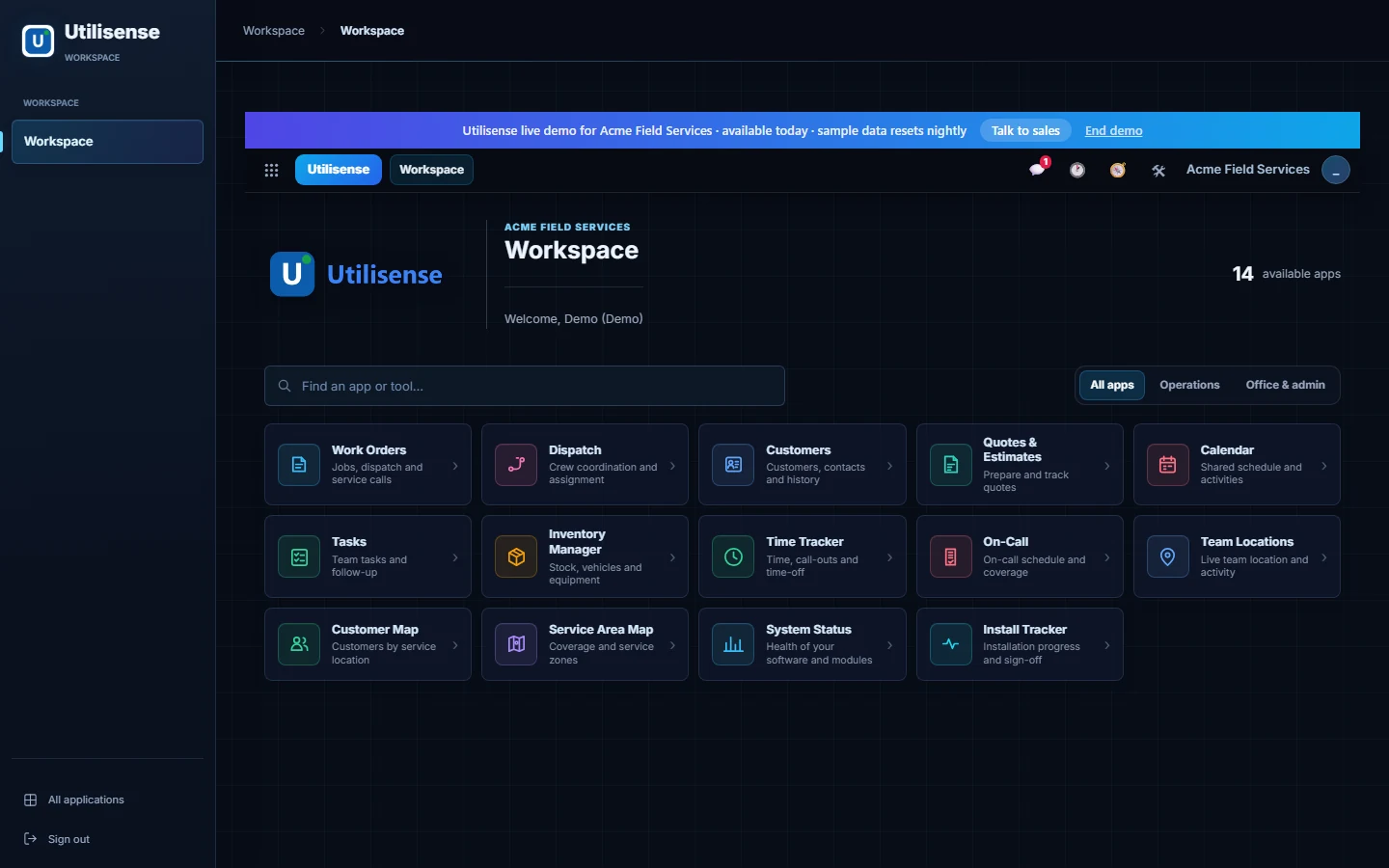
Meet Acme Field Services, our fictional sample business. These are actual Utilisense screens, filled with made-up customers, jobs and stock — one example of how your workspace could look.
A silent, prerecorded tour of the working software. Press play to see the apps in use — no sound or sign-in needed.
The capture uses an isolated demo. No real customer records are shown, and no messages or payments are sent.
Your team's apps, neatly together. Start with the essentials and add more as you grow.
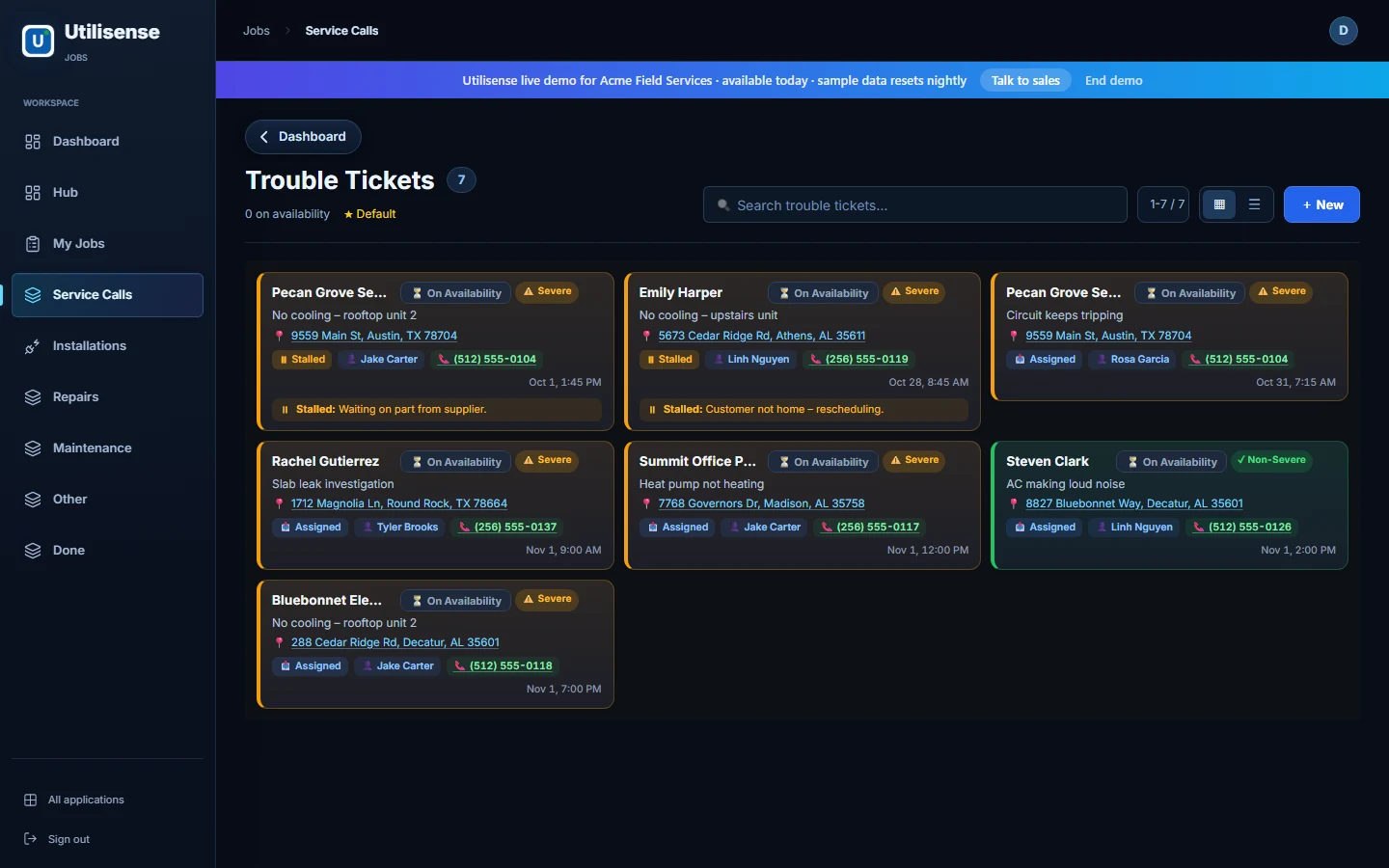
Keep the customer, the work and the person doing it connected. Spot jobs that need attention.
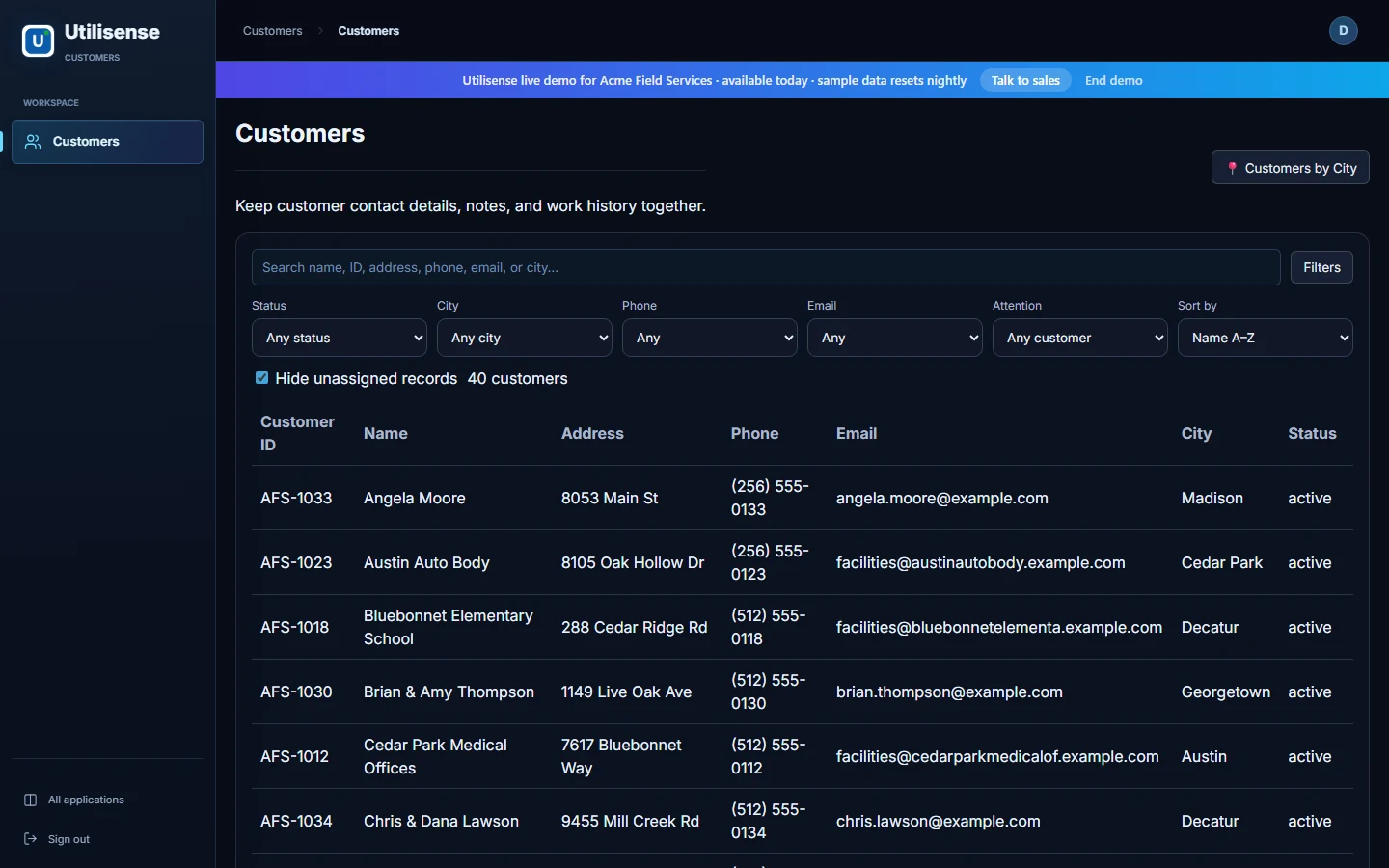
Find customers, contact information and work history without digging through different tools.
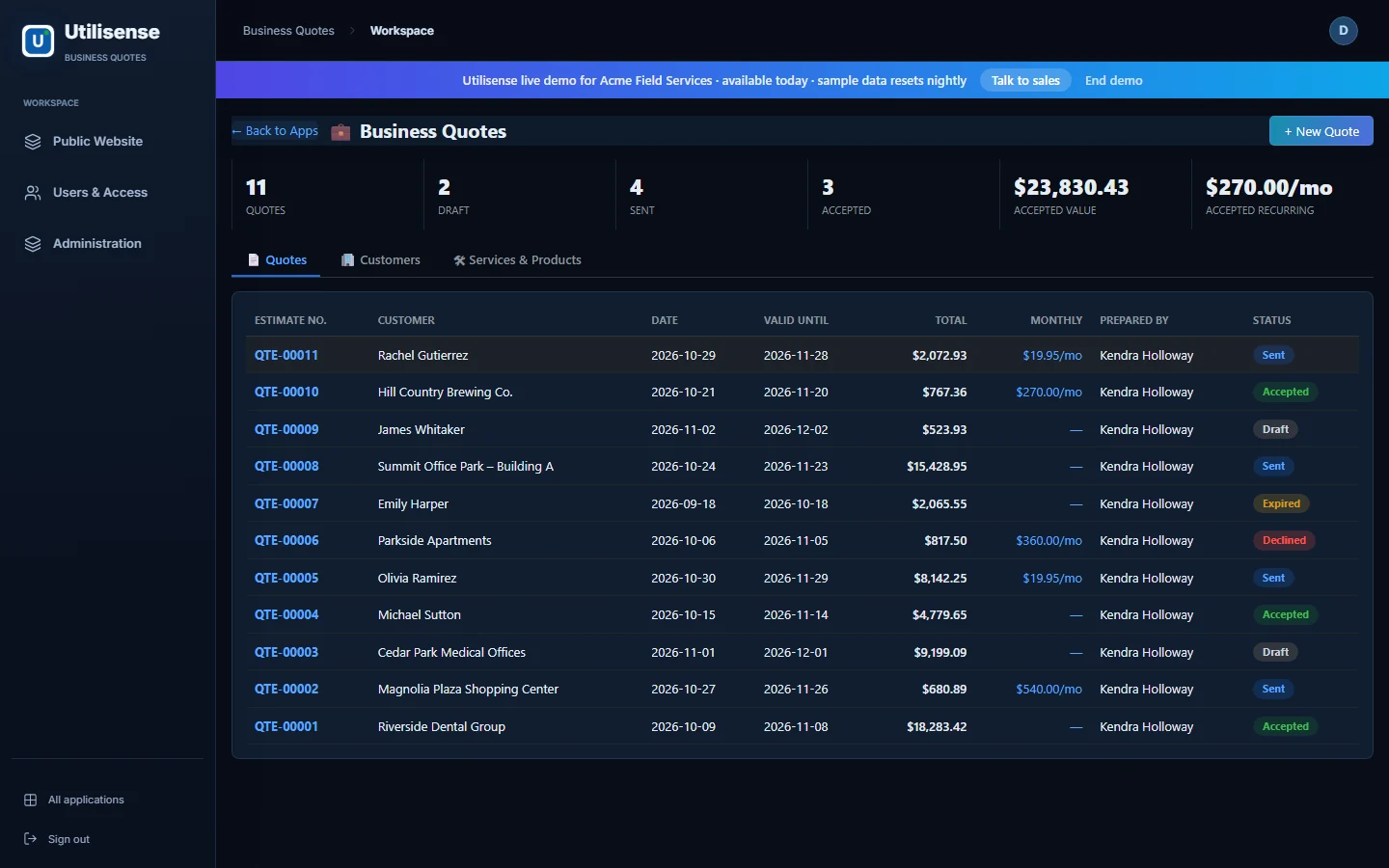
See what is drafted, what is waiting on a customer and what has been accepted.
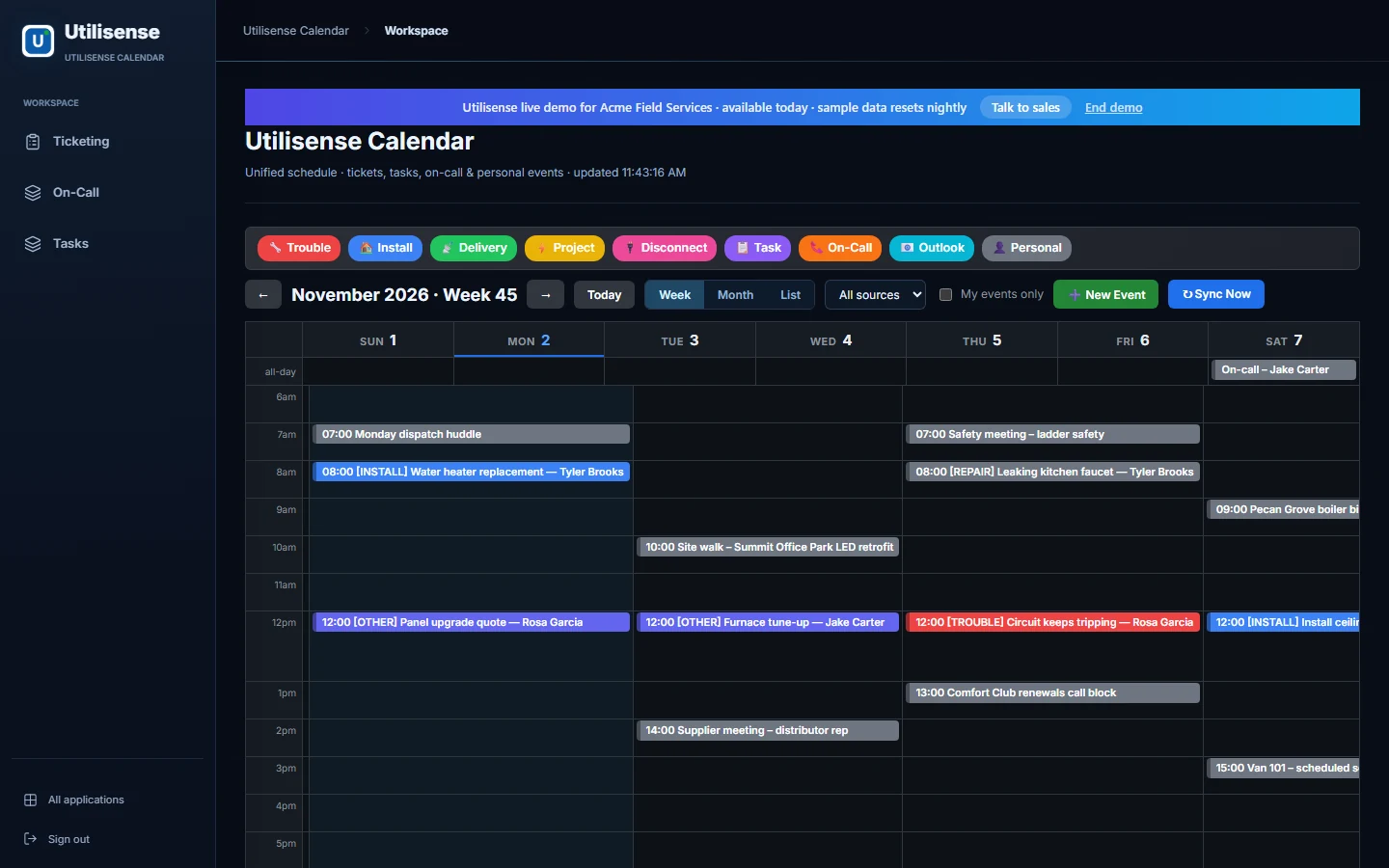
Bring jobs, appointments and team activities into one view so the next step is easier to see.
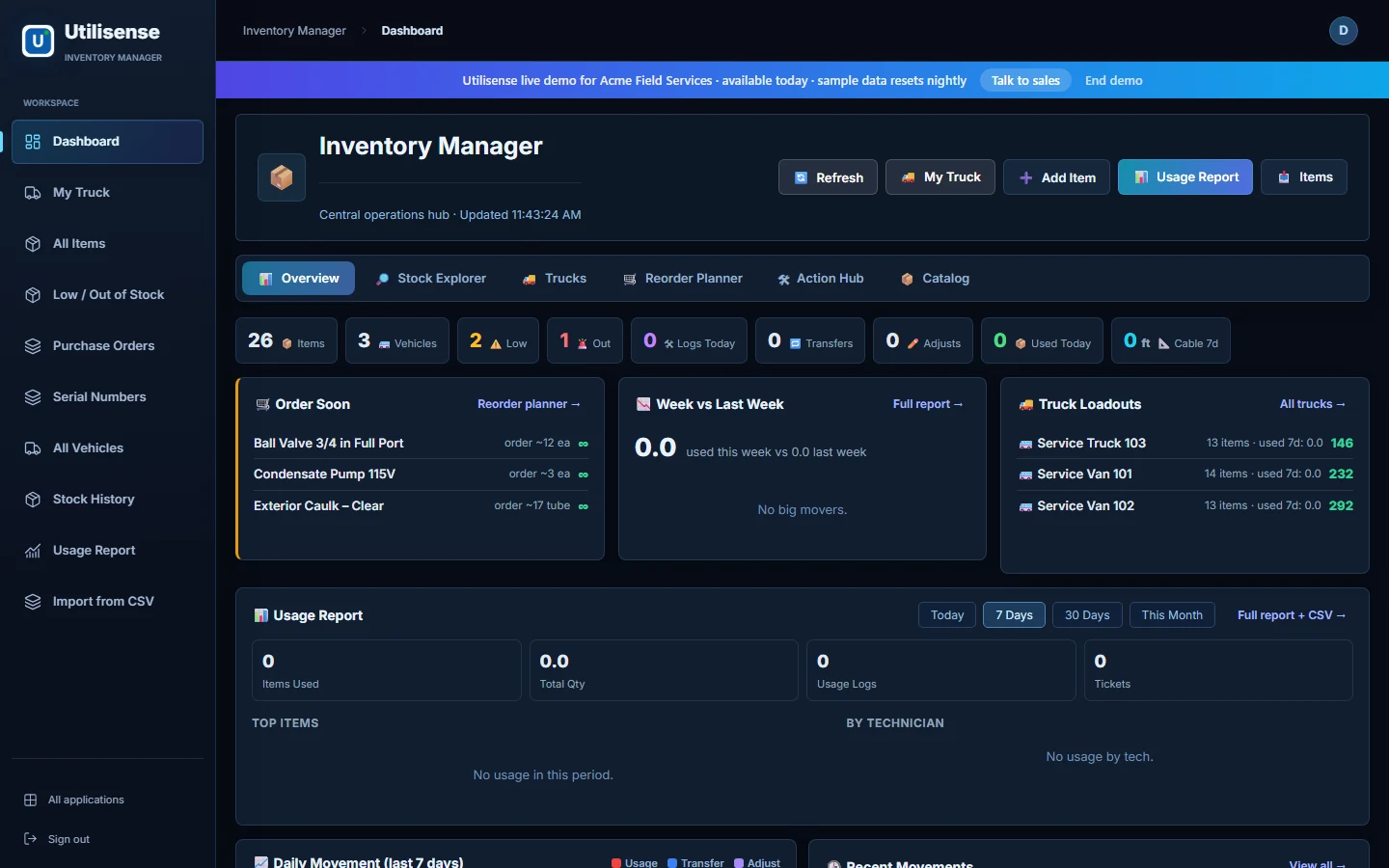
See what is on hand, what needs ordering and what your vehicles are carrying.
One possible layout, not a fixed template. Your setup choices, wording, enabled apps and permissions shape what your team sees.
Show me how it fits my business →Ready the moment you sign in. Everything you need to run the day-to-day.
Log every job or request, assign it to the right person and see what's done, what's late and what's next.
Keep customers in the loop with appointment reminders and job updates by email, from ready-made templates.
A simple page that tells you everything is working, and lets us know if something isn't.
Every customer's details, past jobs, notes and conversations in one place, so nothing gets lost.
Create professional, branded quotes in minutes, ready to print or save as a PDF, and track which ones you win.
Know what you have, where it is and when to reorder, from the stock room to the van.
A shared calendar and task list for the whole team, so everyone knows where to be.
Rename things, add your own fields and build simple custom pages — no coding needed.
Already included in every plan. Turn any of these on with one click in Settings when you need them.
A website where customers can send you requests, plus a private page where they can check on their jobs.
Send customers reminders and “on my way” updates by text. People can reply STOP at any time.
Staff clock in and out from their phone; timesheets and holiday requests are ready for payroll.
Plan who is on call evenings and weekends, and let staff swap shifts without the back-and-forth.
See where your mobile staff are right now, so you can send the closest person.
See all your customers on a map and mark out the areas you cover.
Give outside contractors their own login to see and update only the jobs you share.
One inbox for addresses like info@ or help@, shared by the team and linked to customers.
Ask questions in plain English and get help writing messages and notes. Uses your own AI account.
See a customer's or colleague's screen (with their permission) to help them over the phone.
Handy files, forms and downloads for your team in one place.
Guides and training material so new starters get up to speed faster.
Add-ons link Utilisense to things like your accounting, email or payments. You decide exactly what each add-on is allowed to see, and you can switch it off at any time.