Customers, jobs, quotes, schedules, stock and your team — together in one easy app that works on your phone, tablet and computer. No IT skills needed: we set it up, keep it safe and back it up for you.
Most small businesses run on a mix of notebooks, spreadsheets, texts and memory. Utilisense puts it all in one place your whole team can use.
Jobs written on sticky notes and in WhatsApp
Every job in one list, with who's doing it and when.
Quotes that take an evening to put together
Professional, branded quotes in minutes, and a clear list of which ones you've won.
Customers calling to ask “when are you coming?”
Send reminders and updates by text or email in a couple of clicks.
Spreadsheets nobody else can find
One shared place for customers, stock and schedules.
Chasing timesheets at the end of the week
Staff clock in from their phone; hours add up themselves.
Worrying about losing everything if a laptop dies
Everything is stored safely online and backed up every night.
Start with the basics. Switch more on with one click whenever you’re ready — nothing to install, nothing to configure.
Every customer's details, past jobs, notes and conversations in one place, so nothing gets lost.
Log every job or request, assign it to the right person and see what's done, what's late and what's next.
Create professional, branded quotes in minutes, ready to print or save as a PDF, and track which ones you win.
A shared calendar and task list for the whole team, so everyone knows where to be.
Keep customers in the loop with appointment reminders and job updates by email, from ready-made templates.
Know what you have, where it is and when to reorder, from the stock room to the van.
Staff clock in and out from their phone; timesheets and holiday requests are ready for payroll.
A website where customers can send you requests, plus a private page where they can check on their jobs.
Send customers reminders and “on my way” updates by text. People can reply STOP at any time.
One inbox for addresses like info@ or help@, shared by the team and linked to customers.
Ask questions in plain English and get help writing messages and notes. Uses your own AI account.
Rename things, add your own fields and build simple custom pages — no coding needed.
Meet Acme Field Services, our fictional sample business. These are actual Utilisense screens, filled with made-up customers, jobs and stock — one example of how your workspace could look.
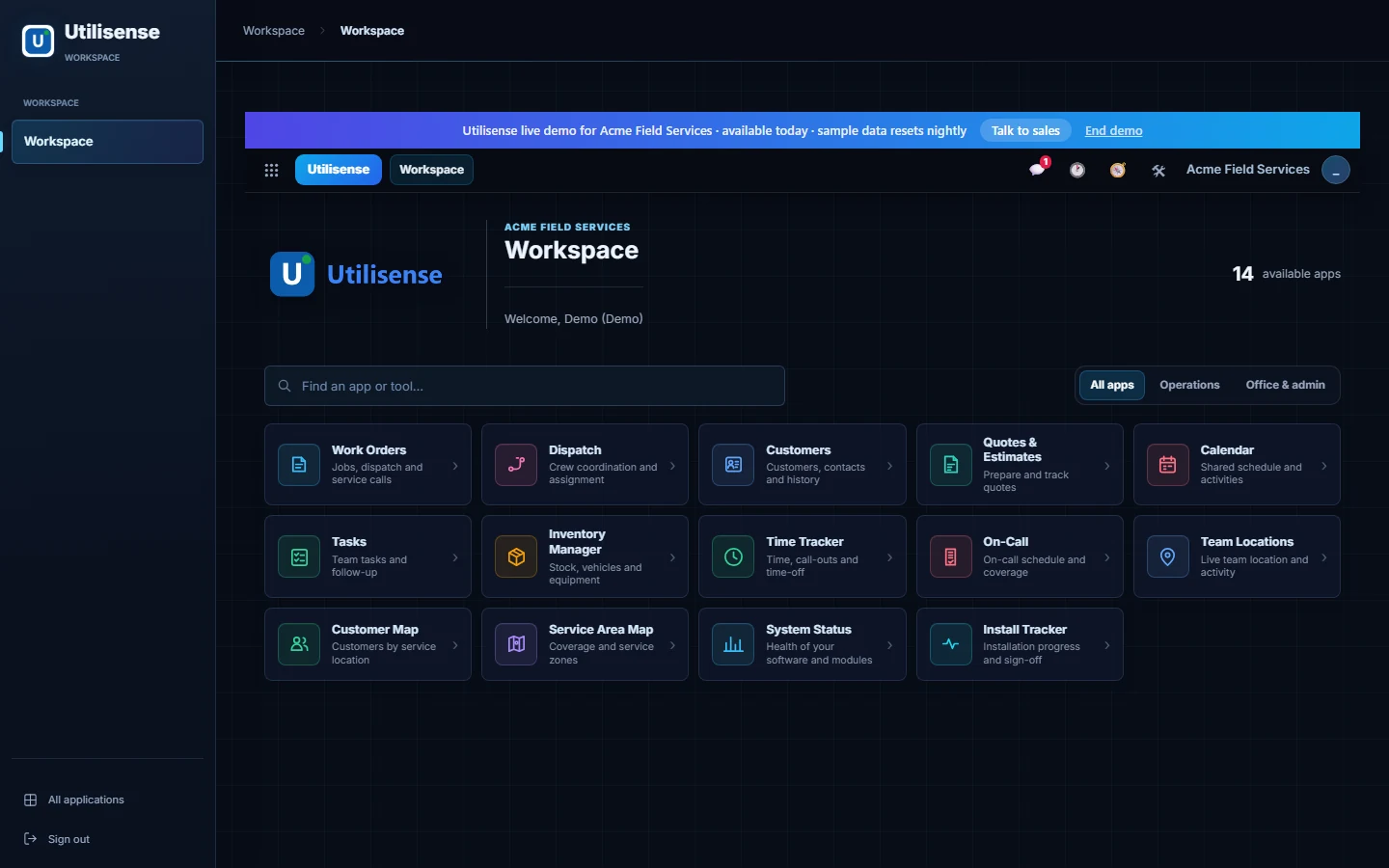
Your team's apps, neatly together. Start with the essentials and add more as you grow.
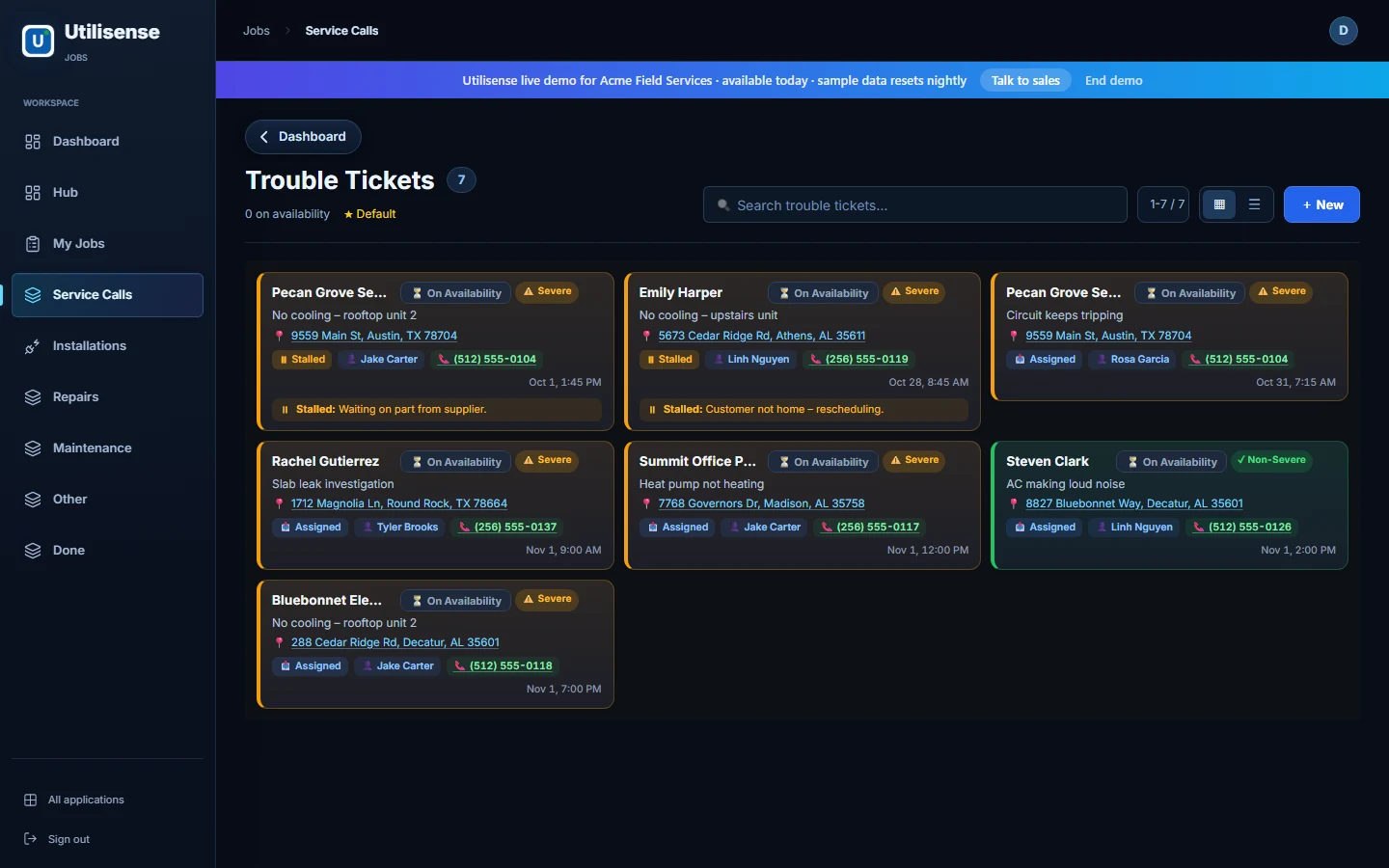
Keep the customer, the work and the person doing it connected. Spot jobs that need attention.
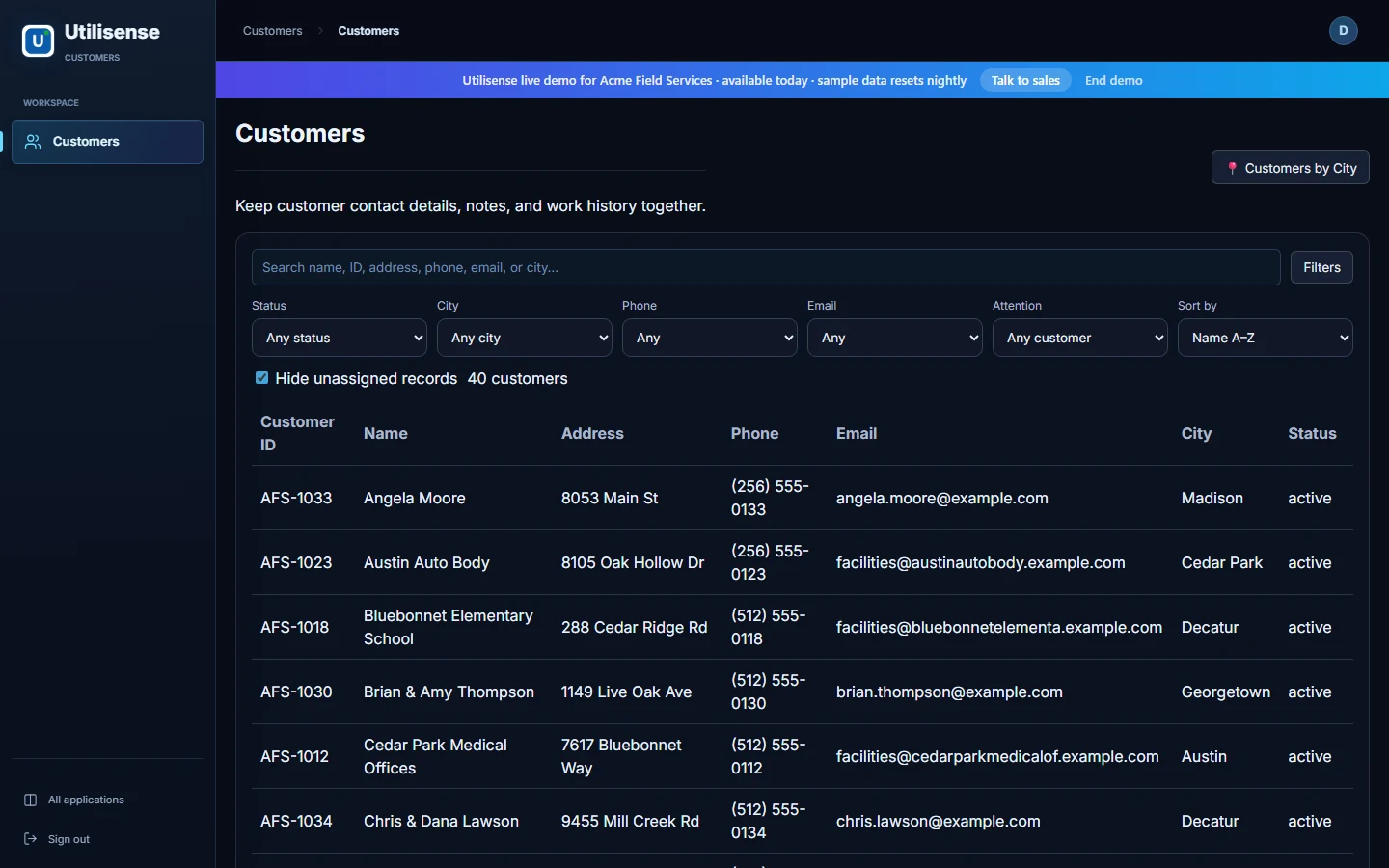
Find customers, contact information and work history without digging through different tools.
One possible layout, not a fixed template. Your setup choices, wording, enabled apps and permissions shape what your team sees.
Watch the software in action →Whether you have 2 people or 200, if you look after customers, Utilisense fits the way you already work.
Plumbers, electricians, HVAC, builders, landscapers
Commercial cleaners, facilities, pest control
Accountants, consultants, agencies, studios
Shops, distributors, online sellers
Landlords, letting agents, property managers
Salons, clinics, studios, mobile therapists
There’s nothing to install and nothing to maintain. We set up your own private, secure space, keep it running and keep it up to date — so you never need to call an IT person.
No consultants, no training courses, no months-long project.
Choose the size that fits your team and pay securely online. We set everything up for you automatically — usually within minutes.
Sign in with the details we email you, add your logo and colours, and send us your customer list — we’ll bring it in for you.
Add your staff, and they can start using it straight away on their phone, tablet or computer.
One price covers the software, secure hosting, nightly backups, updates and support. No setup fee, no contract — cancel any time.
Not sure? Choose Standard — it’s what most businesses use. The Windows edition is only needed if you also want to run your own Windows programs alongside Utilisense; the price includes the Microsoft licence.
For small teams getting organised.
For growing businesses with office and on-the-road staff.
For bigger teams and multiple locations.
Install Utilisense on your own Windows server instead. Includes updates and support — your IT person will need about 15 minutes.
Several locations, lots of staff, moving data over from another system, or something built just for you.
Prices in USD, billed monthly by card. Team-member numbers are a guide, not a hard limit — we’ll let you know if you’d be better on a bigger plan.
Yes — that’s who we built it for. If you can use email and a smartphone, you can use Utilisense. We do all the setting up, and a real person is here to help if you get stuck.
Just an internet connection and a phone, tablet or computer with a web browser. There’s nothing to download or install, and no special equipment to buy.
Your information is kept in its own private space, separate from every other customer, sent over an encrypted connection and backed up every night. We never sell or share your data.
Yes. It works on any phone or tablet, and staff can add it to their home screen like a normal app to see their jobs, clock in and update customers on the go.
Yes. You start with yourcompany.utilsense.com, and you can switch to your own address (like app.yourcompany.com) whenever you like — we’ll walk you through it.
Yes. Rename things to match your language, add your own fields, and switch extras on or off. No coding needed — or ask us and we’ll set it up for you.
Yes. Send us your spreadsheet or export from your old system and we’ll bring your customers across for you.
No contract and no cancellation fee. You can download all of your information in one click at any time, and if you leave we keep a final copy ready for you for 30 days.
Book a free, no-pressure walkthrough. We’ll show you how Utilisense would work for your business and answer every question — in plain English.